What changes when a white surface is replaced with ALR
ALR describes a family of materials that respond differently to light from different directions. A particular fabric may redirect light from the projector towards a viewing area and reduce the interference from fixtures approaching it at another angle. The benefit depends on geometry. If the main light and the projector approach from nearly the same direction, a directional surface can treat the two similarly. Ask to see a direction diagram for the actual candidate material.
A matte white surface typically distributes light over a wider area. In a room where ambient light can be controlled and people sit across a broad angle, that can give a more consistent result between seats. It reflects ambient light too, so a change to room lighting can sometimes make more difference than a material upgrade. Try turning away a fixture or changing blind position on the existing surface before altering several things together.
The material family name is only a starting point. As one manufacturer example, Elite Screens lists an 80-degree viewing angle and 1.5 gain for CineGrey 5D, compared with 180 degrees and 1.1 for its MaxWhite example. Those figures apply to the specific materials described. Check whether the quoted angle is the full stated cone or a value on each side of centre, and relate it to the seats in the room rather than assuming every ALR screen behaves the same way.
Map room light and projector angle separately
Place the screen or material sample at its planned height. With the projector off, note what lights the image area in the morning and at the hours it will actually be used. Mark windows, fixtures, nearby lights and reflective surfaces. A window behind viewers can send light towards the screen in a direction close to the projector. An overhead fixture may hit it much more steeply. A compatible material may help more in one arrangement than the other. Assess that difference from the audience rather than from immediately beside the screen.
Mark the lens location and height, including whether it sits unusually close on a cabinet or overhead. Some ALR materials are designed for standard throw and others for an ultra-short-throw beam from below. Request written compatibility between projector, material and orientation. Check whether the sample has a top and bottom marking that must be preserved during the comparison. Neither a grey appearance nor an ALR label establishes how the surface will respond to the planned lens.
Plot the people as carefully as the equipment. Mark the centre seat and both outer seats in the expected row. Include near and far rows if the positions vary materially. Walk between them without changing projector settings and note any substantial change in brightness or appearance. A convincing centre view does not meet the brief if people on the sides cannot read the same information.
Compare four types of content, not just a white field
Use one projector and the same image size on both surfaces. If working with small samples, position them in turn at the same part of the image plane. The projector can illuminate different areas differently, so two samples mounted side by side at different angles can mislead. Confirm the texture and edge behaviour on a larger sample or installed product before making the final decision.
Start with small black text over white, a chart with similar colours, a face in ordinary lighting and a shadow-heavy clip. Under the lighting you actually need, record what you can read and distinguish. Repeat after lowering the light and note whether a hot spot, colour cast or texture becomes objectionable. A brief white field shows uniformity issues, but cannot stand for all of the material you intend to project.
Write down observations another viewer can repeat. For example, record whether two small numbers are readable, whether a dark edge stays separate from the background, or whether a face changes brightness when seen from the side. If using a camera, lock exposure for comparison shots so it does not brighten a weak result automatically. Photographs help preserve conditions but do not substitute for inspection from the regular seats.
Worked comparison for a bright living room and a broad auditorium
Consider a living room with a side window and a narrow seating area. If daytime use requires keeping blinds open, compare a surface compatible with the projector that favours the sofa and reduces the effect of side light. Verify that it improves both a dark film and normal daytime viewing, and check a bright field for noticeable hot spotting. If a modest shading change removes most of the problem, compare the usability and cost of that change with buying the directional material.
In a wide auditorium, people on the side must read the same small labels as people at centre. Start with a wide-view matte material under controlled frontal lighting. If there is unavoidable light, trial ALR material that covers the planned audience distribution. Keep the projector placement unchanged during the sample check. Should certain seats lose meaningful detail, consider better lighting control or another display location before accepting a narrow viewing area.
Record the projector, lens position, lighting states and material in the project brief. Include a photograph of the surface under actual conditions and define acceptance at more than one seat. If the result depends on a shaded window, include operation of that shade in handover. The facility needs to be able to recreate the demonstrated conditions each day.
Compare complete installed cost
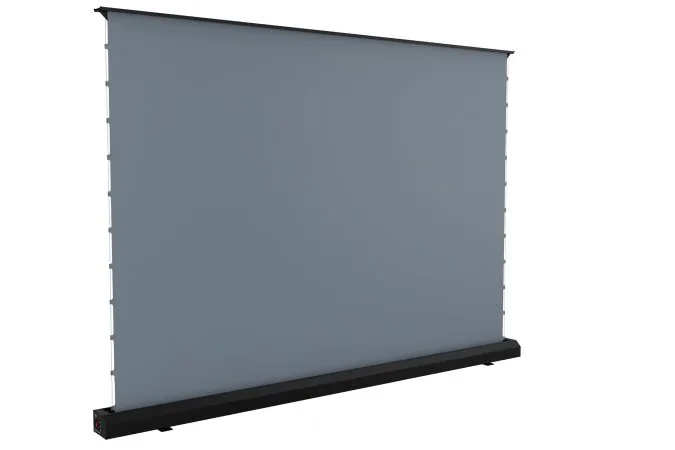
Price the material with its frame or housing, installation, delivery and ongoing care. A flexible material may need a different frame to stay flat in long-term use. For a floor-rising screen, check cabinet space and fabric travel. For a fixed screen, account for the wall in ordinary use. Check the cleaning restrictions and availability of servicing, then consider how reliably the household or venue staff can restore the lighting conditions used during the demonstration.
ALR and matte white screen questions
Can ALR replace blinds or room darkening?
A compatible material can reduce the influence of some directions of light. Light close to the projector axis or intense direct sun can still matter. Test with the normal lighting state and compare shading before selecting.
Does grey fabric always mean it is an ALR screen?
Colour and directional reflection are separate characteristics. Ask for the material's direction chart, projector compatibility and viewing data instead of estimating from colour alone.
When is matte white a sensible choice?
It can suit rooms where light on the surface is controlled and a sizeable audience watches from several angles. Confirm material compatibility with the projector type and demonstrate it using real content and seating conditions.