What should an audio acceptance test establish?
Acceptance follows everyday use. Identify who speaks, which seats are used and whether people move between the table and a board. A remote participant should be able to identify the speaker, understand what they said and reply at a natural pace. In the room, assess whether sound from the far end is understood through the loudspeakers at seats away from the display. An audible tone or a loud voice does not tell you whether a soft speaker is intelligible against ventilation noise in a reflective room.
Agree on a clear result in advance. For example, read a normal sentence from each seat containing a name, time and action. Ask the remote listener to repeat two particulars without asking the speaker to repeat the sentence. Change the prompt at every position so familiarity does not hide omissions. For a room used for sensitive discussion, add a check that mute stops the microphone audio and shows a clear status to the people present. A handover is easier to judge when your pass conditions can be repeated by somebody who was not there during installation.
Prepare a test independent of impressions
Use at least two testers: a speaker in the room and a remote listener wearing known working headphones. A controlled receiving setup helps separate a room defect from a problem with the remote listener's speaker. Begin with a stable connection and the route that will normally be used. Write down the conference platform, selected input and output devices, occupancy, door state and ventilation settings. A fault visible only when the occupied room is at normal temperature may be missed when people rely on the installer's empty-room demonstration.
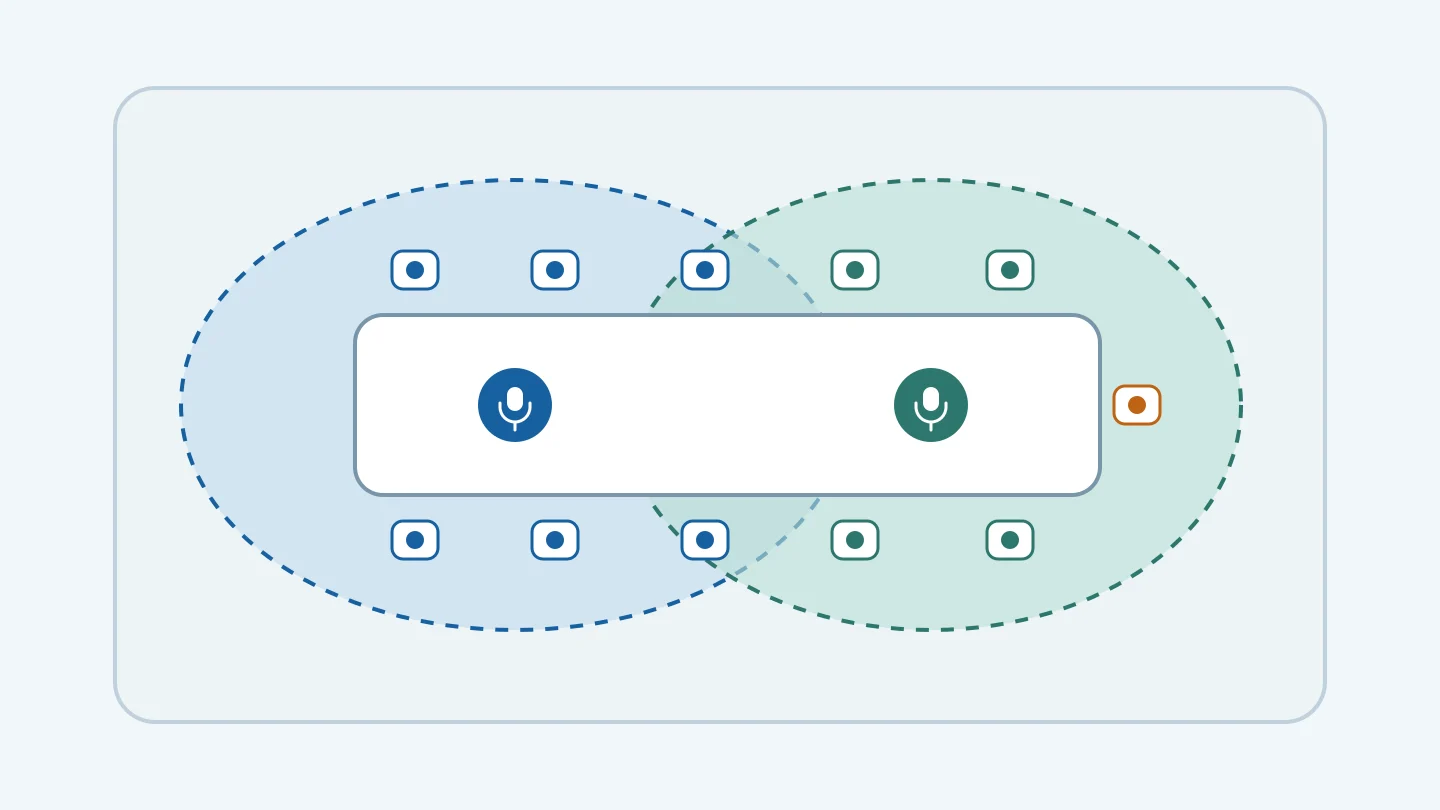
Make a numbered seat list or mark up a floor plan. Include the seat farthest from the microphone, a seat by a doorway or air outlet, a centre seat, a side seat and the presenter's position. If people often face the display or turn towards the board while speaking, include those angles as different cases. Use conversational speech rather than a loud demonstration voice. A test that passes with a confident presenter can still leave softer voices unclear.
Test the send path, return path and overlapping speech
Start with local speech to the remote listener. At each test point the local person reads a sentence, and the listener repeats the agreed details. Score the result as clear, understood after repetition or unclear. The first syllable can also disappear while the rest remains intelligible. Allow a brief quiet interval before the next speaker so you test the transition from silence to speech as well as continued speech from the same person.
Then stop local speech and test the return from the remote listener to people in the room. The remote participant reads a sentence to several people in different positions. Ask whether the rear seat requires a volume level that makes listening uncomfortable near the speakers. Document room and application volume if both change playback so that somebody can reproduce that configuration after a restart.
For overlapping speech, have people at both ends talk together for a few seconds and then take turns naturally. Listen for cutouts, abrupt changes in level and delayed returns. This checks a shared conversation where people regularly interrupt to clarify a point or contribute a detail. Microsoft's meeting-room planning guidance describes audio coverage and microphone options across rooms of different sizes.
Verify mute and shared media
Open a meeting and test each mute action that staff actually use. Press the room control, check the visible indication and ask the remote listener to confirm what reaches them. Repeat with the room controller and a guest laptop where both can run the meeting. Check whether the status is visible to a late arrival and what happens when the meeting ends and another begins. A mute light on one device does not tell you whether the application has switched to a different input.
For media, choose a short clip with identifiable speech and a familiar sound. Verify the intended playback to the room and remote participants. While the media plays, speak from the far seat. The remote listener should hear the speaker as well as the content when the use case requires both. Stop sharing and confirm normal conversation resumes without an unexpected volume change. Check the same scenario through a second route if staff regularly present from both the fixed room system and a guest laptop.
Worked example of a failure on the guest laptop path
In a twelve-seat room, the fixed system passes speech pickup at every seat. When a laptop is connected, only the people close to it are clear at the remote end. The application has selected the laptop microphone while successfully using the room camera. The room needs a clearly named audio device, instructions that explain how to select it and a retest using a second laptop. Where the hardware reconnects automatically after being unplugged, test recovery. Make sure additional devices in the room have joined without audio when they are being used only to share.
An alternative finding could be that the application takes audio from the room microphone but plays remote speech from the laptop. The camera picture alone would miss either failure. Ask which device appears in both the input and output menus and record the result. This makes a remote support call more precise than reporting only that the camera works.
Keep records useful for the next test
Each issue needs the audio direction, seat, room state, connection mode, attempted action and audible result. For instance, document that remote-to-local speech at seat nine was understood only after repetition in a fixed room call with ventilation at its normal setting. This narrows the next investigation without an unhelpful report that the room is generally quiet. Use an approved test recording only when permitted by the organisation, and avoid capturing an actual conversation or sensitive information. Written scorecards can carry the short acceptance script without recording.
After a change, repeat the baseline in the same conditions, including seats that already passed. Improving pickup at one distant seat could increase table noise or affect other positions. Keep configuration versions and the default operating mode with the scorecard. Visit meeting room solutions and conferencing speakers for related planning and equipment.
A participant may have to move or lean forward to be heard, levels may jump during turn taking, the mute indicator may disagree with the remote result or a video may arrive without sound. Include the relevant cases in the agreed expectations for the room. To compare the commissioning run with a later run, ask someone outside the installation team to perform part of the protocol using only the short instructions prepared for staff. Note where they need assistance. The check can expose gaps in room instructions even when the equipment itself passes the seat tests.
Meeting room audio test FAQ
Are two test speakers sufficient in a large room?
Two people can run an initial test if they move through the speaking positions and also verify overlapping speech with the far end. Test separate routing states and common furniture layouts where changes affect coverage.
Should testing begin on a staff member's computer?
Establish a repeatable baseline, then include a managed laptop and a guest device where relevant. Document the required connection and device selection on each so staff can reproduce it.